Automated Call Intake
Calls to your Tow Office number can be answered automatically. The caller’s name, vehicle, service needed and pickup details are captured and turned into a job, so nothing waits on someone being free to answer.

Every part of Tow Office works on the same job, so dispatch, drivers, billing and the yard are always looking at the same information.
Calls to your Tow Office number can be answered automatically. The caller’s name, vehicle, service needed and pickup details are captured and turned into a job, so nothing waits on someone being free to answer.
ProTow can text customers who agreed to texts a secure link, after the call, to share their precise pickup location from their phone, so the truck goes where the vehicle actually is.
Dispatch requests that arrive by email can be sent to your company’s private Tow Office intake address and become jobs in the same system.
Let Tow Office send each job to the right available unit, matched on the services your trucks are equipped for and their distance to the pickup, or keep dispatch completely manual. If a driver doesn’t open a job within three minutes, it comes back for reassignment.
Police and priority calls bypass the phone assistant and are forwarded directly to the operator number your company enters. They do not go through ordinary automated dispatch.
Multiple calls at once? No problem. Tow Office can answer multiple incoming calls simultaneously, so customers aren’t left waiting for a free line. If the phone assistant can’t take a call, it rings through to your designated operator instead.
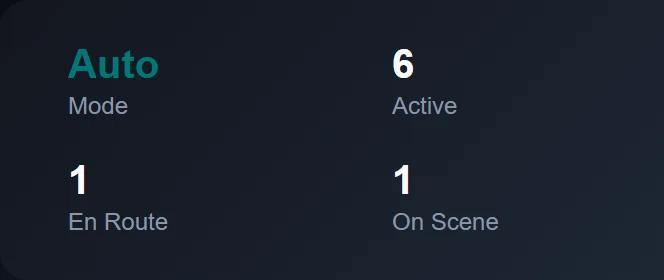
The phone assistant takes the call, creates the job and sends the right truck.
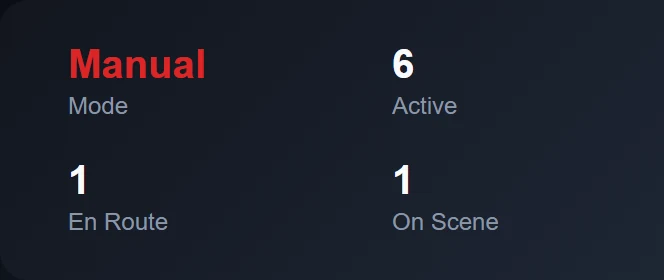
Calls go straight to your operator number, and you dispatch from the Company Console.
One tap on the Mode card in your Company Console switches between them.
Drivers work from a simple console on their own phone: new-job alerts, customer contact, pickup and drop-off, and one-tap status updates from En Route through Completed.
Pickup and drop-off locations open straight into Google Maps for directions, right from the job.
When a job needs another unit, the driver can request assistance from the job itself, and the assisting driver is tied to the same job.
Drivers capture photos and video on the job, and customers can add their own through a secure link. Everything is stored with the job.
Build invoices from your own rates with taxes and discounts, capture the customer’s signature, and text customers who agreed to texts a secure link to their invoice. Payments and receipts stay with the job.
Collect towing authorization directly on your driver’s phone, using your company’s own consent wording. Customers can sign or initial, and Tow Office saves the completed consent as a PDF with the towing job. Retrieve the document when needed and provide a copy by email or text where supported.
Track the vehicles in your yard, apply your storage pricing and keep each vehicle’s release history with the job.
Callers can ask the phone assistant and hear your yard hours and release steps.
Calls, notes, status changes, photos and video, invoices and release history all stay on one job record, from the first call to the final payment.
Job photos and videos are securely kept for about seven years after upload. Other job records are kept as described in the Privacy Policy.
Tow Office is cloud-based and works across iPhone, Android, tablets and computers, in the office, at home or in the truck.
Configure Tow Office around your services, units, rates and operating preferences, including how dispatch works for your company.
Setup assistance is available by email, from configuring your services and units to bringing your drivers on board. Need Help Setting Up Tow Office?
Dispatch, drivers, roadside calls, invoicing and yard operations in one connected system.
30-Day Free Trial · No Credit Card Required